 Entry · MM-49Mobile Medical Units
Clinics On Cloud Improving Rural Healthcare.
Clinics On Cloud Improving Rural Healthcare. Post-COVID everyone has made incredible progress in the preventive healthcare system by utilizing innovative
Read story 6 min
Clinics On Cloud Accessible Healthcare Anytime, Anywhere.elementor-widget-container p a:link,.elementor-widget-container p a:visited{color:#0066cc} h3{font-size: 20px; font-weight: bold;}.elementor-widget-container ul{ margin-left:20px;}.elementor-widget-container ul li{ margin-bottom:20px;}
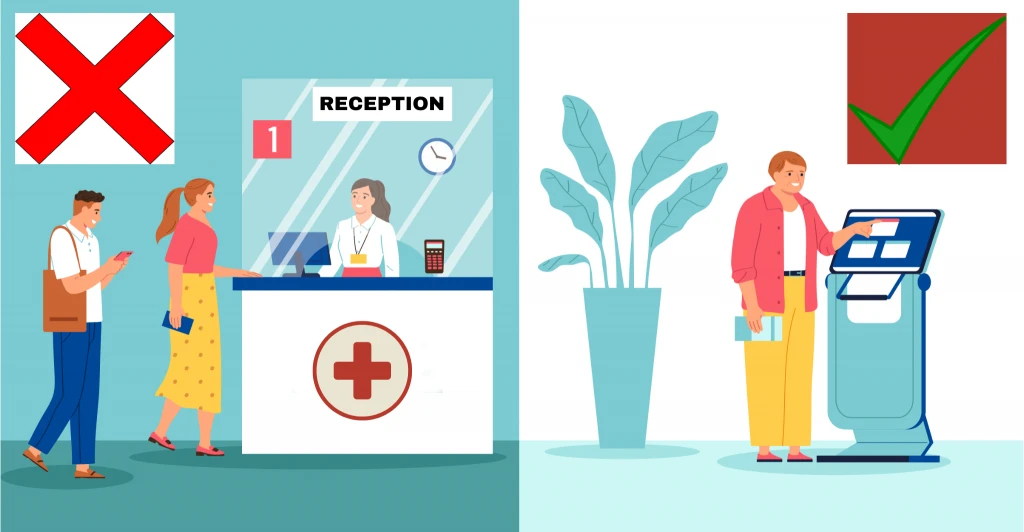
An accessible health kiosk is a screening station a person can complete without help, regardless of literacy, language, age, mobility or sensory ability. Clinics On Cloud kiosks use a multilingual touchscreen with audio-visual guidance, require no skilled operator, and screen 65+ clinical parameters across 14 specialties in 10 minutes.
In preventive screening, accessibility is not a compliance box. It is the mechanism that determines who gets measured. The people most likely to be excluded by poor design, older adults, people with low literacy, people with disabilities, and women in mixed settings, are disproportionately the people a screening programme most needs to reach.
A screening station in a village or a factory faces a specific test that a hospital does not. There is no receptionist to explain the form, no nurse to position the arm, no attendant to read the result aloud. If the interface fails, the person walks away, and the programme records that as low turnout rather than as a design failure.
That produces a quiet selection effect. The users who complete a badly designed session are the younger, more literate, more confident, more mobile ones. They are also, on average, the ones at lower immediate risk. A programme can post good headline numbers while systematically missing the population it was funded to find.
Accessibility work is what closes that gap. It is unglamorous, it does not photograph well at a launch, and it changes outcomes more than any additional parameter on the test list.
A screening kiosk in a language the user does not read is unusable regardless of how good its clinical hardware is. Clinics On Cloud kiosks provide a multilingual touchscreen interface with audio-visual guidance, so instructions, prompts and result explanations are delivered in the user’s own language.
Three things need to be in the local language, and programmes frequently do only the first.
The interface. Menus, prompts and buttons.
The instructions. “Place your finger here and stay still” is the sentence that determines whether an SpO2 reading is usable. It has to be understood at the moment of the action, which means audio, not a printed sheet.
The result explanation and the consent notice. A report a person cannot read is a piece of paper. Colour coding helps, and it is not sufficient on its own: a red flag with no explanation produces alarm without direction.
For multi-state programmes, agree the language set before installation rather than after. A unit deployed to a district where the working language differs from the state’s official language is a predictable and avoidable failure.
Audio matters for a second reason beyond literacy. In a noisy factory or a crowded camp, an older user with reduced vision often follows spoken instructions more reliably than screen text, whatever their reading ability.
A kiosk usable by a non-reading adult must lead with audio and imagery, never require typed input to complete a session, and explain every result verbally as well as visually. Text should support the interaction, not carry it.
Six design properties do most of the work:
The design principles behind this are broadly those set out in the Web Content Accessibility Guidelines, adapted to a physical self-service device. Clinics On Cloud does not claim WCAG certification for its kiosk interface, and no buyer should accept an unevidenced claim of that kind from any vendor. What a buyer can verify is the behaviour: sit an untrained, non-English-speaking adult in front of the unit during evaluation and watch whether they finish a session unassisted. That single test tells you more than any specification sheet.
A health kiosk should be completable while seated. Requiring a user to stand for the full session excludes wheelchair users, people with joint pain or balance problems, frail older adults, and anyone recovering from injury, which is a large fraction of the population most in need of screening.
Physical accessibility for a kiosk deployment breaks into three parts, and only one of them is the manufacturer’s responsibility.
The device. Which parameters can be captured seated, what the reach and screen height are, and whether the interaction points sit within a seated user’s range.
The installation. Floor space for a wheelchair to approach and turn, clear approach path, and no step or threshold at the entrance to the room.
The site. Ground floor or lift access, a doorway wide enough, and a route from the gate that does not involve stairs.
Most accessibility failures in real deployments are installation and site failures rather than device failures. A perfectly accessible unit placed in a first-floor room with no lift is inaccessible.
One honest limitation is worth stating. A small number of parameters in a full screening set require the user to stand or to adopt a specific posture. Height and several body-composition measurements taken on a platform are the obvious cases. A wheelchair user can complete the great majority of a Clinics On Cloud session, and cannot complete every element of it. A programme covering people with mobility impairments should plan for a partial parameter set for some users rather than presenting it as a complete checkup.
India’s Rights of Persons with Disabilities Act, 2016 sets the national policy context for accessibility of public facilities and services. This article does not summarise its requirements or offer legal advice. Organisations should confirm their own obligations with their own counsel when specifying a public-facing installation.
Users with low vision benefit from large-text display, high contrast and complete audio narration. Users with hearing loss benefit from the same information being available on screen, which means the interface must be usable in either channel independently rather than splitting information between them.
The design rule that follows is simple and frequently broken: never put critical information in only one channel. If a step is announced only in audio, a user with hearing loss is stuck. If it appears only on screen, a user with low vision is stuck. Every instruction should be available both ways.
Practical checks for an evaluation:
Two clinical points connect here rather than conflict. Clinics On Cloud kiosks include vision screening: far vision, near vision and colour blindness and audiometry and otoscope screening as parameters. Those tests require the user to see and hear, by design. That is a screening test, not an interface, and the two should not be confused. A user who is blind cannot take a far vision test, and should not be presented with one.
Colour coding deserves one caution. A red-amber-green report is excellent for most users and unreliable for a user with colour vision deficiency. Colour should always be paired with a word or a symbol, never used as the sole carrier of meaning.
Older adults are the group affected by most of this simultaneously, and are covered further in geriatric care and healthy ageing.
A kiosk placed in an open lobby, a factory corridor or a village hall is a public setting, and users behave accordingly. Physical privacy at the point of screening determines who participates, particularly among women and among anyone answering a mental health questionnaire.
Data security behind the screen is necessary and insufficient. A person who believes the queue can read their results will not answer honestly, and frequently will not join the queue.
Practical measures that change participation:
A Health Lounge deployment in a workplace addresses part of this by treating the screening as a designed private experience rather than a machine bolted to a lobby wall. In camp settings, the partition does the same job at a much lower cost.
The other half of this promise is what happens to the record afterwards, covered in who can see a screening result. Both halves must hold, and users judge the physical one first.
Clinics On Cloud kiosks require no skilled operator: the session is voice-guided and self-service. That design choice is what makes deployment viable in locations where no clinical staff member is available, which is most of the places screening is needed.
The practical implication for a buyer is about staffing cost and continuity, not just convenience. A screening point that requires a nurse is limited by nurse availability and stops when the nurse is reassigned. A screening point a security guard, a shop assistant, an Anganwadi helper or an HR executive can support keeps running.
An attendant still adds value in most settings, for queueing, consent, reassurance and initiating a teleconsultation on an abnormal result. The distinction is that the attendant is helpful rather than required, and can be a non-clinical person.
One boundary must be trained explicitly and enforced: a non-clinical attendant must never interpret a result, suggest a cause or recommend treatment. The attendant reads what the report says and directs the person to a physician. Screening results are indicative and are not a diagnosis.
Copy these ten lines into an RFP and require evidence rather than assertion for each.
Clinics On Cloud is India’s first CDSCO-licensed Health ATM and Health Kiosk manufacturer, based at Nighoje, Chakan MIDC, Pune, with 3,500+ installations across 200+ cities, deployments in 8+ countries and 12M+ patients screened. To discuss an accessibility specification for a specific site, see the Clinics On Cloud Health Kiosk or what a Health ATM is and how it works, or call +91 8999 073 447.
Clinics On Cloud provides preventive health screening and is not a diagnostic laboratory. Screening results are indicative and are not a diagnosis. Always consult a qualified physician before acting on any health information.
Your email is never published. Comments appear after a quick review.
Entry · MM-49Mobile Medical UnitsClinics On Cloud Improving Rural Healthcare. Post-COVID everyone has made incredible progress in the preventive healthcare system by utilizing innovative
Digital Health Records: Giving Privilege to Patients through Data Security A Digital Health record, also known as an Electronic Health
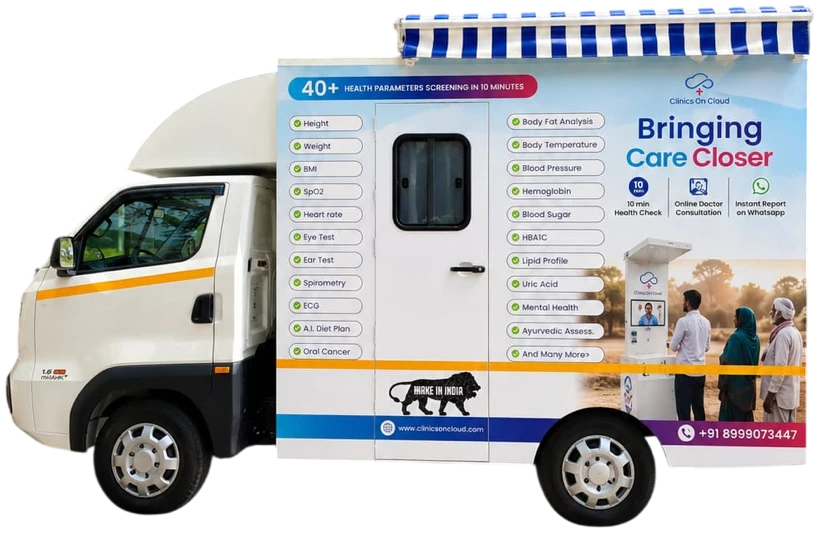 Entry · MM-29Mobile Medical Units
A practical guide for CSR teams, governments and hospitals planning a mobile medical unit: route design, equipment, staffing, digital records and measuring impact.
Yes. Clinics On Cloud kiosks provide audio-visual guidance alongside the touchscreen, so every instruction is spoken in the user’s language and results are explained verbally as well as shown with colour coding. A well-designed session requires no typed input and presents one action per screen, which allows a non-reading adult to complete it unassisted.
Clinics On Cloud kiosks use a multilingual touchscreen with audio guidance. The exact language set for a deployment should be agreed before installation, especially for multi-state programmes or districts where the working language differs from the state’s official language. Confirm the required languages in writing as part of the purchase specification.
Most of a session can be completed seated, which is the design intent. A small number of parameters, including height and platform-based body composition measurements, require standing, so a wheelchair user will complete a partial rather than a full parameter set. Wheelchair access also depends on the installation: floor space, approach path, doorway width and lift access at the site.
Generally yes, with large-text display, audio guidance in their own language and seated operation. Many older users prefer an attendant present for reassurance, which a non-clinical staff member can provide. The attendant helps with the process and must not interpret results, which remains a matter for a qualified physician.
Yes, provided every instruction available in audio is also available on screen. That is the core rule: no critical information in a single channel. During evaluation, test whether the entire session can be completed with the audio muted. Clinics On Cloud kiosks also screen hearing through audiometry, which is a clinical test and separate from interface accessibility.
Only if the installation is designed for it. Position the screen away from the queue, add a partition or use a dedicated room, deliver results directly to the individual by print, SMS, email or WhatsApp, and never hand results to a supervisor. Mental health questionnaires in particular need genuine privacy or the responses will not be honest.
No skilled operator is required. Clinics On Cloud kiosks are voice-guided and self-service, which is what makes them viable where no clinical staff are available. An attendant is useful for queueing, consent and starting a teleconsultation, and can be a non-clinical person such as an HR executive, a shop assistant or an Anganwadi helper.
Run a designated women’s time slot with a female operator or attendant, screen behind a partition or in a separate room, and deliver results privately to the individual. In rural and factory settings a mixed queue is the single largest suppressor of female participation, and scheduling is a cheaper fix than any hardware change.
Specify the required interface languages by name, full audio narration of instructions and results, no typed free-text input, completion with audio muted, seated completion with any standing-only parameters listed, minimum text size and contrast, colour never used alone to convey meaning, privacy provision as part of installation, and a live unassisted usability trial during evaluation.
Indicative Health ATM pricing starts from ₹6,00,000, with the final figure depending on parameter configuration, enclosure, language set, privacy provision and installation requirements. Accessibility features such as multilingual audio guidance and seated operation are part of the standard design rather than paid extras. Contact Clinics On Cloud on +91 8999 073 447 or sales@clinicsoncloud.com.
We started Clinics on Cloud with a simple belief - that the quality of your healthcare should not depend on your postcode. Whether you're a government, corporate, NGO or entrepreneur - we built this for you.
+91 8999 073 447
Mon - Sat · 9 AM to 6 PM IST
sales@clinicsoncloud.com
Partnerships · Deployments · Support
www.clinicsoncloud.com
Products · Case Studies · News
Nighoje, Chakan MIDC
Pune, Maharashtra - 410501, India